
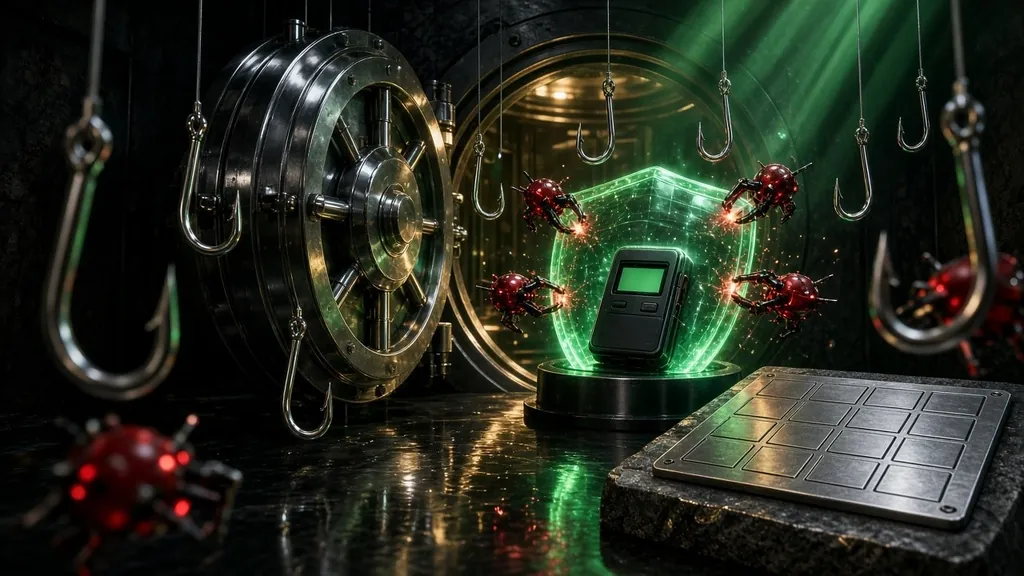
Most people who lose crypto don't lose it to a bad trade. They lose it to a stolen seed phrase, a hijacked email account, a fake support agent or one careless click on a wallet approval. The good news is that almost all of those losses are preventable with a few habits you set up once. At CCF we teach security before we teach a single chart pattern, because a great trade means nothing if someone else can empty the account. This guide walks you through exactly how to keep your crypto safe, in the order we'd set it up ourselves.
Why crypto security is your job
With a bank, if someone steals your card, you call the bank and they reverse the charges. Crypto doesn't work that way. Transactions on a blockchain are final. There is no fraud department that can pull your coins back once they leave.
The scale of the problem is real. The FBI's 2024 Internet Crime Report lists 149,686 complaints that referenced cryptocurrency in 2024, with $9.3 billion in reported losses. Those are only the cases people reported.
So think of security as part of your risk management, the same way you think about position size. Our guide to crypto risk management basics covers how to limit what you can lose on a trade. This guide covers how to make sure nobody takes the rest.
Custodial vs. self-custody in one minute
There are two ways to hold crypto, and each needs different protection:
- Custodial (an exchange holds it). The exchange controls the keys. Your protection is your login: password, email and 2FA. The risk is someone taking over your account, or the platform itself failing.
- Self-custody (you hold it). You control the keys through a wallet app or a hardware wallet. Your protection is your seed phrase and how you sign transactions. The risk is losing the seed, leaking it or signing something malicious.
Most people use both. You might buy on an exchange and move long-term holdings to your own wallet. That is fine, as long as you secure each one the right way.
Step 1: Protect your seed phrase like it is the money
When you create a self-custody wallet, it gives you a list of 12 or 24 words. That is your seed phrase (also called a recovery phrase). Every private key in the wallet comes from those words. If your phone or device breaks, those words restore everything. If a stranger gets those words, they can restore everything too, on their own device, from anywhere in the world.
Ledger's security guidance puts it bluntly: anyone with your recovery phrase has access to your assets. Trezor's backup guide gives the same rule of thumb: no digital copies at all.
Here is how to handle it:
- Write it down by hand on the card that came with your wallet, or on a metal backup plate that survives fire and water.
- Check every word twice and confirm the order. One wrong word can lock you out.
- Store it somewhere private and safe, such as a home safe. For larger amounts, keep a second copy in a separate secure location so one fire or break-in can't take both.
- Never type it into a website, a form or a chat. The only place it ever goes is your wallet during a real recovery.
- Test your backup with a small amount: set up the wallet, send a little in, wipe or reset, and restore from your written words. Then you know it works before it matters.
What about a passphrase?
Many wallets let you add an optional passphrase, sometimes called a "25th word." It creates a separate hidden wallet that needs both the seed phrase and the passphrase. It adds strong protection if someone finds your written words. The catch: if you forget the passphrase, nobody can recover it. If you use one, store it separately from the seed phrase, and make sure you can't lose it.
Step 2: Lock down your accounts with strong 2FA
If you keep anything on an exchange, your account login is the front door. Two-factor authentication (2FA) means a thief needs more than your password to get in. But the type of 2FA matters a lot.
From weakest to strongest:
- Text message (SMS) codes. Better than nothing, but vulnerable to SIM swapping, where a criminal convinces your phone carrier to move your number to their SIM. Then your codes go to them.
- Authenticator apps like Google Authenticator, Microsoft Authenticator or similar. They generate codes on your device, so a SIM swap can't intercept them.
- Hardware security keys (a small USB or NFC key) and passkeys. These are phishing-resistant: they only work on the real website, so a fake login page can't trick them. The U.S. Cybersecurity and Infrastructure Security Agency (CISA) calls phishing-resistant MFA the strongest option in its guide to implementing phishing-resistant MFA, and it explains the basics on its MFA page.
Secure your email first
Here is the step most people skip. Your email is the reset button for your exchange accounts. If someone controls your email, they can often reset your exchange password and change your 2FA. So:
- Give your email a long, unique password.
- Turn on an authenticator app or a security key for your email.
- Consider a separate email address used only for crypto accounts, which you never post publicly.
- Save your 2FA backup codes offline, the same way you store a seed phrase.
Add the exchange's extra locks
Most major exchanges offer extra settings. Look for these in your security menu and turn on what's available:
- Withdrawal address allowlist, so funds can only go to addresses you approved in advance.
- Anti-phishing code, a word you choose that appears in real emails from the exchange.
- Login and withdrawal alerts sent to you right away.
Also call your mobile carrier and ask about a port-out PIN or account lock, which makes a SIM swap harder.
Step 3: Use a hardware wallet for money you can't afford to lose
A hardware wallet is a small device that keeps your private keys offline. When you send crypto, the transaction is signed inside the device, and you confirm it with a physical button. Even if your computer has malware, the attacker can't move funds without the device in hand.
How to set one up safely:
- Buy directly from the manufacturer's official website. Avoid secondhand devices and third-party marketplace sellers, since a tampered device is a known risk.
- Never use a device that arrives with a seed phrase already written down. A real device generates your seed phrase on its own screen during setup. Ledger's guidance is clear on this: never use a preconfigured device.
- Install the companion app from the official site, and type the address yourself rather than clicking ads or email links.
- Write down the seed phrase the device shows you, following Step 1.
- Update firmware only through the official app. Never through a link in an email or a pop-up.
- Confirm every address on the device screen. Malware can swap an address on your computer. It can't change what the device shows you.
Split your money by job
You don't need to keep everything in one place. A simple setup we like:
- Vault wallet: your hardware wallet for long-term holdings. It rarely connects to anything.
- Everyday wallet: a small balance for trading or apps you use often.
- Throwaway wallet: a nearly empty wallet for new sites, mints and airdrops you don't fully trust.
If the throwaway wallet gets drained, you lose a few dollars, not your savings. This fits naturally with how we think about crypto investing vs. trading: long-term money and active trading money should live in different places with different rules.
Step 4: Learn the scams that drain wallets
Most wallet losses come from tricks, not technical hacks. Learn these and you'll spot most of them on sight.
Fake support
You post a question online and someone messages you: "I'm from support, I can help." They send you to a "validation" site that asks for your seed phrase. Real support teams don't message you first in your DMs, and no real company will ever ask for your seed phrase.
Phishing sites and fake apps
A search ad, an email or a social post sends you to a site that looks exactly like your exchange or wallet. You log in, and they have your password and code. Bookmark the real sites you use and only go through your bookmarks. Download wallet apps only from links on the official website.
Malicious approvals and blind signing
On decentralized apps, you sign approvals that let a contract move your tokens. A malicious site can ask for unlimited access and empty your wallet later. Before you sign, read what the wallet says you're approving. If it is unclear, cancel. Review and revoke old approvals you no longer use with a reputable approval-checking tool.
Address poisoning
Scammers send a tiny transaction from an address that looks almost identical to one you use, hoping you'll copy it from your history next time. Always copy addresses from the original source, check the full address, and send a small test amount for large transfers.
Investment and romance scams
A friendly stranger, often met online, shows you a trading platform with incredible returns and encourages you to deposit more. When you try to withdraw, there are "fees" or "taxes" first. The FBI report above calls out cryptocurrency investment fraud as one of the costliest crime types it tracks. If someone you've never met in person is coaching you to invest, stop.
AI makes scams more convincing
AI tools now help scammers write flawless messages, clone voices and fake videos of well-known people "giving away" crypto. Treat any giveaway that asks you to send crypto first as fake. We use AI as a research helper at CCF, and our guide on how to use AI for crypto trading shows how, but never paste a seed phrase, private key or account login into any AI tool.
Step 5: Build habits that keep you safe for years
Security isn't one setup. It is a few small habits:
- Keep devices updated. Install operating system and browser updates promptly.
- Use a password manager for exchange and email passwords (never for your seed phrase).
- Don't talk about your holdings in public. Posting balances makes you a target online and offline.
- Review your accounts monthly. Check login history, connected devices, 2FA methods and wallet approvals.
- Make a simple inheritance plan. Write down, in a secure place, how a trusted person would find your accounts and backups if something happened to you, without putting the seed phrase itself in the instructions.
If you're just getting started, our crypto trading for beginners guide walks you through how the market works once your setup is secure.
Your quick security checklist
- Seed phrase written by hand, stored safely, never digital.
- Backup tested with a small amount.
- Email secured with a unique password and app-based or key-based 2FA.
- Exchange accounts on authenticator or security key 2FA, with withdrawal allowlists on.
- Long-term holdings on a hardware wallet bought directly from the maker.
- Separate vault, everyday and throwaway wallets.
- Real sites bookmarked, and links in messages ignored.
The CCF Brief
New lessons, straight to your inbox.
Plain-language crypto trading, investing and AI education from Josh & Marty. No hype, no picks. Unsubscribe anytime.
You are in. Check your inbox for a welcome note.
Education only. We never sell your email.
Frequently asked questions
What is the safest way to store crypto?
For long-term holdings, a hardware wallet with a seed phrase backed up offline on paper or metal is the safest option for most people. Keep only what you actively use on exchanges and hot wallets.
Is it safe to keep crypto on an exchange?
It can be reasonable for small amounts or active trading, as long as you use strong 2FA and a secured email. The risks are account takeover and the platform failing, so don't keep more there than you need.
Where should I store my seed phrase?
Write it down by hand on paper or a metal backup plate and keep it somewhere private and secure, such as a home safe. For larger amounts, keep a second copy in a separate location. Never store it as a photo, file, note or email.
Is SMS two-factor authentication safe for crypto?
It is better than no 2FA, but it is the weakest option because of SIM-swap attacks. Use an authenticator app or, better, a hardware security key or passkey wherever your exchange and email support them.
What should I do if I think my wallet is compromised?
Act fast. Move any remaining funds to a brand-new wallet with a fresh seed phrase created on a clean device, revoke old token approvals, change passwords and 2FA on your email and exchanges, and report the theft to the FBI at IC3.gov. Be wary of "recovery services" that contact you, since many are scams too.
The bottom line
Keeping crypto safe comes down to a few rules: guard your seed phrase offline, use strong 2FA starting with your email, keep long-term holdings on a hardware wallet and slow down before you click, sign or send. Set it up once, review it monthly, and you've closed the doors most losses walk through.
This is general education, not financial or security advice for your specific situation. Always confirm settings with your wallet maker and exchange.
That is the foundation we build at CCF before anything else. If you want a structured way to learn crypto the safe way, start in the free CCF community or explore CCF programs.
Written by

CCF · Co-founder
Teaches trading and investing built on risk management and independent decisions, and explores how AI can sharpen them. Reach One, Teach One.

CCF · Co-founder
Got into crypto in 2017. Helps people learn investing and trading through structured, practical education, so they can make their own decisions with confidence.
Learn it with people who do the work.
Join the free CCF community to ask questions, see how others build their process, and learn from both founders. Not sure where to start? Book a call and we will point you to the right next step.
Educational content only. This article is general education about digital assets, trading and investing. It is not individualized financial, investment, legal or tax advice, and it is not a recommendation to buy or sell any asset. Crypto markets are volatile and involve risk, including loss of principal; leveraged products can lose more than the amount committed. CCF does not guarantee any outcome or return. Do your own research and consider speaking with a licensed professional about your situation.